---
title: TinyGPT-V
canonical_url: "https://www.modelscope.cn/models/LC2023/TinyGPT-V"
md_url: "https://www.modelscope.cn/models/LC2023/TinyGPT-V.md"
repository: LC2023/TinyGPT-V
last_updated: 2024-01-05
pipeline_tag: image-captioning
tasks:
- image-captioning
library_name:
- pytorch
frameworks:
- Pytorch
downloads: 320
stars: 2
---
# TinyGPT-V
> TinyGPT-V - LC2023 在 ModelScope 开源的模型。TinyGPT-V: Efficient Multimodal Large Language Model via Small Backbones
- **Repository**: LC2023/TinyGPT-V
- **Tasks**: image-captioning
- **Downloads**: 320
- **Stars**: 2
- **Last updated**: 2024-01-05
Source: https://www.modelscope.cn/models/LC2023/TinyGPT-V
---
# TinyGPT-V
**TinyGPT-V: Efficient Multimodal Large Language Model via Small Backbones**
Zhengqing Yuan❁, Zhaoxu Li❁, Lichao Sun❋
❁Visiting Students at LAIR Lab, Lehigh University
❋Lehigh University


 ## News
[Jan.03 2024] Welcome to Hugging Face online demo to try out our models (for Stage-3)!
[Dec.28 2023] Breaking! We release the code of our TinyGPT-V.
## TinyGPT-V Traning Process

## TinyGPT-V Model Structure

## TinyGPT-V Results

## Getting Started
### Installation
**1. Prepare the code and the environment**
Git clone our repository, creating a python environment and activate it via the following command
```bash
git clone https://github.com/DLYuanGod/TinyGPT-V.git
cd TinyGPT-V
conda env create -f environment.yml
conda activate tinygptv
```
**2. Prepare the pretrained LLM weights**
**TinyGPT-V** is based on Phi-2.
Download the corresponding LLM weights from the following huggingface space via clone the repository using git-lfs.
Phi-2 2.7B: [Download](https://huggingface.co/susnato/phi-2)
Then, set the variable *phi_model* in the model config file to the LLM weight path.
* Set the LLM path [here](minigpt4/configs/models/minigpt_v2.yaml#L14) at Line 14, [here](minigpt4/configs/models/minigpt4_vicuna0.yaml#L18) at Line 18 and [here](minigpt4/conversation/conversation.py#L16) at Line 16.
**3. Prepare the pretrained model checkpoints**
Download the pretrained model checkpoints
| After stage-1 | After stage-2 | After stage-3| After stage-4 |
| ------ | ------ | ------ | -------|
| [Download](https://huggingface.co/Tyrannosaurus/TinyGPT-V/blob/main/TinyGPT-V_for_Stage1.pth) |[Download](https://huggingface.co/Tyrannosaurus/TinyGPT-V/blob/main/TinyGPT-V_for_Stage2.pth) | [Download](https://huggingface.co/Tyrannosaurus/TinyGPT-V/blob/main/TinyGPT-V_for_Stage3.pth) |[Download](https://huggingface.co/Tyrannosaurus/TinyGPT-V/blob/main/TinyGPT-V_for_Stage4.pth) |
For **TinyGPT-V**, set the path to the pretrained checkpoint in the evaluation config file
in [tinygptv_stage1_2_3_eval.yaml](eval_configs/tinygptv_stage1_2_3_eval.yaml#L8) at Line 8 for Stage 1, 2 and 3 version or [tinygptv_stage4_eval.yaml](eval_configs/tinygptv_stage4_eval.yaml#L8) for Stage 4 version.
**4. Update the Phi-2 Modeling for transformers lib.**
Linux system:
```
cp modeling_phi.py /root/miniconda3/envs/tinygptv/lib/python3.9/site-packages/transformers/models/phi/
```
Windows system
Find your conda yourself: conda_sit/envs/tinygptv/lib/python3.9/site-packages/transformers/models/phi/ Replace modeling_phi.py in that directory with the one in TinyGPT-V/modeling_phi.py.
### Launching Demo Locally
For Stage 4, run
```
python demo_v2.py --cfg-path eval_configs/tinygptv_stage4_eval.yaml --gpu-id 0
```
For Stage 1, 2 and 3, run
```
python demo.py --cfg-path eval_configs/tinygptv_stage1_2_3_eval.yaml --gpu-id 0
```
To perfer more powerful model, LLMs loads as 16 bit by default. This configuration requires about 8G GPU memory.
To more save GPU memory, you can run the model
in 8 bit below 8G device by setting `low_resource` to `True` in the relevant config file:
* Stage 4 [tinygptv_stage4_eval.yaml](eval_configs/tinygptv_stage4_eval.yaml#6)
* Stage 1, 2 and 3 [tinygptv_stage1_2_3_eval.yaml](eval_configs/tinygptv_stage1_2_3_eval.yaml#6)
```diff
-Note: Stage 4 is currently a test version as it utilizes partial data for traing. Please use Stage 3 for the demo.
```
### Training
First you need to adjust all the updated weights in the LLM to be calculated with full precision:[Here](minigpt4\models\base_model.py). Remove the comments from the following lines:
```
layer.self_attn.q_layernorm.weight.data = layer.self_attn.q_layernorm.weight.data.float()
layer.self_attn.k_layernorm.weight.data = layer.self_attn.k_layernorm.weight.data.float()
layer.post_layernorm.weight.data = layer.post_layernorm.weight.data.float()
layer.input_layernorm.weight.data = layer.input_layernorm.weight.data.float()
# Perform a similar operation for the bias item
if layer.self_attn.q_layernorm.bias is not None:
layer.self_attn.q_layernorm.bias.data = layer.self_attn.q_layernorm.bias.data.float()
if layer.self_attn.k_layernorm.bias is not None:
layer.self_attn.k_layernorm.bias.data = layer.self_attn.k_layernorm.bias.data.float()
if layer.input_layernorm.bias is not None:
layer.input_layernorm.bias.data = layer.input_layernorm.bias.data.float()
llama_model.model.model.final_layernorm.weight.requires_grad = True
llama_model.model.model.final_layernorm.weight.data = llama_model.model.model.final_layernorm.weight.data.float()
if llama_model.model.model.final_layernorm.bias is not None:
llama_model.model.model.final_layernorm.bias.data = llama_model.model.model.final_layernorm.bias.float()
```
**Stage 1 and 2:**
* Datasets: [first stage dataset preparation instruction](https://github.com/Vision-CAIR/MiniGPT-4/blob/main/dataset/README_1_STAGE.md)
* Then run:
```
torchrun --nproc-per-node NUM_GPU train.py --cfg-path train_configs/tinygptv_stage1.yaml
```
You need to execute the above code 17 times to complete the first stage of training.
* Then run:
```
torchrun --nproc-per-node NUM_GPU train.py --cfg-path train_configs/tinygptv_stage2.yaml
```
**Stage 3:**
* Datasets: [stage 3 dataset preparation instruction](https://github.com/Vision-CAIR/MiniGPT-4/blob/main/dataset/README_2_STAGE.md)
* Then run:
```
torchrun --nproc-per-node NUM_GPU train.py --cfg-path train_configs/tinygptv_stage3.yaml
```
**Stage 4:**
* Datasets: [stage 4 dataset preparation instruction](https://github.com/Vision-CAIR/MiniGPT-4/blob/main/dataset/README_MINIGPTv2_FINETUNE.md) Please prepare all datasets except COCO captions and OCR-VQA.
* Then run:
```
torchrun --nproc-per-node NUM_GPU train.py --cfg-path train_configs/tinygptv_stage4.yaml
```
### Evaluation
For eval. details of TinyGPT-V, check [here](eval_scripts/EVAL_README.md)
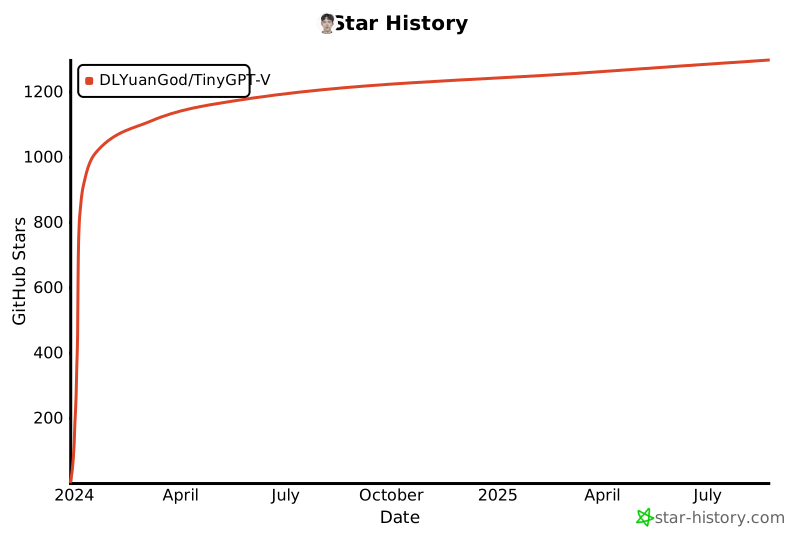
## Star History
[](https://star-history.com/#DLYuanGod/TinyGPT-V&Date)
## Acknowledgement
+ [MiniGPT](https://github.com/Vision-CAIR/MiniGPT-4) A very versatile model of MLLMs.
If you're using TinyGPT-V in your research or applications, please cite using this BibTeX:
```bibtex
@misc{yuan2023tinygptv,
title={TinyGPT-V: Efficient Multimodal Large Language Model via Small Backbones},
author={Zhengqing Yuan and Zhaoxu Li and Lichao Sun},
year={2023},
eprint={2312.16862},
archivePrefix={arXiv},
primaryClass={cs.CV}
}
```
## License
This repository is under [BSD 3-Clause License](LICENSE.md).
Many codes are based on [Lavis](https://github.com/salesforce/LAVIS) with
BSD 3-Clause License [here](LICENSE_Lavis.md).
## News
[Jan.03 2024] Welcome to Hugging Face online demo to try out our models (for Stage-3)!
[Dec.28 2023] Breaking! We release the code of our TinyGPT-V.
## TinyGPT-V Traning Process

## TinyGPT-V Model Structure

## TinyGPT-V Results

## Getting Started
### Installation
**1. Prepare the code and the environment**
Git clone our repository, creating a python environment and activate it via the following command
```bash
git clone https://github.com/DLYuanGod/TinyGPT-V.git
cd TinyGPT-V
conda env create -f environment.yml
conda activate tinygptv
```
**2. Prepare the pretrained LLM weights**
**TinyGPT-V** is based on Phi-2.
Download the corresponding LLM weights from the following huggingface space via clone the repository using git-lfs.
Phi-2 2.7B: [Download](https://huggingface.co/susnato/phi-2)
Then, set the variable *phi_model* in the model config file to the LLM weight path.
* Set the LLM path [here](minigpt4/configs/models/minigpt_v2.yaml#L14) at Line 14, [here](minigpt4/configs/models/minigpt4_vicuna0.yaml#L18) at Line 18 and [here](minigpt4/conversation/conversation.py#L16) at Line 16.
**3. Prepare the pretrained model checkpoints**
Download the pretrained model checkpoints
| After stage-1 | After stage-2 | After stage-3| After stage-4 |
| ------ | ------ | ------ | -------|
| [Download](https://huggingface.co/Tyrannosaurus/TinyGPT-V/blob/main/TinyGPT-V_for_Stage1.pth) |[Download](https://huggingface.co/Tyrannosaurus/TinyGPT-V/blob/main/TinyGPT-V_for_Stage2.pth) | [Download](https://huggingface.co/Tyrannosaurus/TinyGPT-V/blob/main/TinyGPT-V_for_Stage3.pth) |[Download](https://huggingface.co/Tyrannosaurus/TinyGPT-V/blob/main/TinyGPT-V_for_Stage4.pth) |
For **TinyGPT-V**, set the path to the pretrained checkpoint in the evaluation config file
in [tinygptv_stage1_2_3_eval.yaml](eval_configs/tinygptv_stage1_2_3_eval.yaml#L8) at Line 8 for Stage 1, 2 and 3 version or [tinygptv_stage4_eval.yaml](eval_configs/tinygptv_stage4_eval.yaml#L8) for Stage 4 version.
**4. Update the Phi-2 Modeling for transformers lib.**
Linux system:
```
cp modeling_phi.py /root/miniconda3/envs/tinygptv/lib/python3.9/site-packages/transformers/models/phi/
```
Windows system
Find your conda yourself: conda_sit/envs/tinygptv/lib/python3.9/site-packages/transformers/models/phi/ Replace modeling_phi.py in that directory with the one in TinyGPT-V/modeling_phi.py.
### Launching Demo Locally
For Stage 4, run
```
python demo_v2.py --cfg-path eval_configs/tinygptv_stage4_eval.yaml --gpu-id 0
```
For Stage 1, 2 and 3, run
```
python demo.py --cfg-path eval_configs/tinygptv_stage1_2_3_eval.yaml --gpu-id 0
```
To perfer more powerful model, LLMs loads as 16 bit by default. This configuration requires about 8G GPU memory.
To more save GPU memory, you can run the model
in 8 bit below 8G device by setting `low_resource` to `True` in the relevant config file:
* Stage 4 [tinygptv_stage4_eval.yaml](eval_configs/tinygptv_stage4_eval.yaml#6)
* Stage 1, 2 and 3 [tinygptv_stage1_2_3_eval.yaml](eval_configs/tinygptv_stage1_2_3_eval.yaml#6)
```diff
-Note: Stage 4 is currently a test version as it utilizes partial data for traing. Please use Stage 3 for the demo.
```
### Training
First you need to adjust all the updated weights in the LLM to be calculated with full precision:[Here](minigpt4\models\base_model.py). Remove the comments from the following lines:
```
layer.self_attn.q_layernorm.weight.data = layer.self_attn.q_layernorm.weight.data.float()
layer.self_attn.k_layernorm.weight.data = layer.self_attn.k_layernorm.weight.data.float()
layer.post_layernorm.weight.data = layer.post_layernorm.weight.data.float()
layer.input_layernorm.weight.data = layer.input_layernorm.weight.data.float()
# Perform a similar operation for the bias item
if layer.self_attn.q_layernorm.bias is not None:
layer.self_attn.q_layernorm.bias.data = layer.self_attn.q_layernorm.bias.data.float()
if layer.self_attn.k_layernorm.bias is not None:
layer.self_attn.k_layernorm.bias.data = layer.self_attn.k_layernorm.bias.data.float()
if layer.input_layernorm.bias is not None:
layer.input_layernorm.bias.data = layer.input_layernorm.bias.data.float()
llama_model.model.model.final_layernorm.weight.requires_grad = True
llama_model.model.model.final_layernorm.weight.data = llama_model.model.model.final_layernorm.weight.data.float()
if llama_model.model.model.final_layernorm.bias is not None:
llama_model.model.model.final_layernorm.bias.data = llama_model.model.model.final_layernorm.bias.float()
```
**Stage 1 and 2:**
* Datasets: [first stage dataset preparation instruction](https://github.com/Vision-CAIR/MiniGPT-4/blob/main/dataset/README_1_STAGE.md)
* Then run:
```
torchrun --nproc-per-node NUM_GPU train.py --cfg-path train_configs/tinygptv_stage1.yaml
```
You need to execute the above code 17 times to complete the first stage of training.
* Then run:
```
torchrun --nproc-per-node NUM_GPU train.py --cfg-path train_configs/tinygptv_stage2.yaml
```
**Stage 3:**
* Datasets: [stage 3 dataset preparation instruction](https://github.com/Vision-CAIR/MiniGPT-4/blob/main/dataset/README_2_STAGE.md)
* Then run:
```
torchrun --nproc-per-node NUM_GPU train.py --cfg-path train_configs/tinygptv_stage3.yaml
```
**Stage 4:**
* Datasets: [stage 4 dataset preparation instruction](https://github.com/Vision-CAIR/MiniGPT-4/blob/main/dataset/README_MINIGPTv2_FINETUNE.md) Please prepare all datasets except COCO captions and OCR-VQA.
* Then run:
```
torchrun --nproc-per-node NUM_GPU train.py --cfg-path train_configs/tinygptv_stage4.yaml
```
### Evaluation
For eval. details of TinyGPT-V, check [here](eval_scripts/EVAL_README.md)
## Star History
[](https://star-history.com/#DLYuanGod/TinyGPT-V&Date)
## Acknowledgement
+ [MiniGPT](https://github.com/Vision-CAIR/MiniGPT-4) A very versatile model of MLLMs.
If you're using TinyGPT-V in your research or applications, please cite using this BibTeX:
```bibtex
@misc{yuan2023tinygptv,
title={TinyGPT-V: Efficient Multimodal Large Language Model via Small Backbones},
author={Zhengqing Yuan and Zhaoxu Li and Lichao Sun},
year={2023},
eprint={2312.16862},
archivePrefix={arXiv},
primaryClass={cs.CV}
}
```
## License
This repository is under [BSD 3-Clause License](LICENSE.md).
Many codes are based on [Lavis](https://github.com/salesforce/LAVIS) with
BSD 3-Clause License [here](LICENSE_Lavis.md).