---
title: t2iadapter_zoedepth_sd15v1
canonical_url: "https://www.modelscope.cn/models/AI-ModelScope/t2iadapter_zoedepth_sd15v1"
md_url: "https://www.modelscope.cn/models/AI-ModelScope/t2iadapter_zoedepth_sd15v1.md"
repository: AI-ModelScope/t2iadapter_zoedepth_sd15v1
last_updated: 2024-03-08
license: apache-2.0
pipeline_tag: text-to-image-synthesis
tasks:
- text-to-image-synthesis
library_name:
- pytorch
frameworks:
- pytorch
downloads: 4963
stars: 1
tags:
- art
- t2i-adapter
- controlnet
- stable-diffusion
- image-to-image
---
# t2iadapter_zoedepth_sd15v1
> t2iadapter_zoedepth_sd15v1 - AI-ModelScope 在 ModelScope 开源的模型。T2I Adapter - Zoedepth
AI-ModelScope/t2iadapter_zoedepth_sd15v1 是 ModelScope 魔搭社区上的text-to-image-synthesis模型,采用 apache-2.0 许可。
- **Repository**: AI-ModelScope/t2iadapter_zoedepth_sd15v1
- **License**: apache-2.0
- **Tasks**: text-to-image-synthesis
- **Tags**: art, t2i-adapter, controlnet, stable-diffusion, image-to-image
- **Downloads**: 4963
- **Stars**: 1
- **Last updated**: 2024-03-08
Source: https://www.modelscope.cn/models/AI-ModelScope/t2iadapter_zoedepth_sd15v1
---
# T2I Adapter - Zoedepth
T2I Adapter is a network providing additional conditioning to stable diffusion. Each t2i checkpoint takes a different type of conditioning as input and is used with a specific base stable diffusion checkpoint.
This checkpoint provides conditioning on zoedepth depth estimation for the stable diffusion 1.5 checkpoint.
## Model Details
- **Developed by:** T2I-Adapter: Learning Adapters to Dig out More Controllable Ability for Text-to-Image Diffusion Models
- **Model type:** Diffusion-based text-to-image generation model
- **Language(s):** English
- **License:** Apache 2.0
- **Resources for more information:** [GitHub Repository](https://github.com/TencentARC/T2I-Adapter), [Paper](https://arxiv.org/abs/2302.08453).
- **Cite as:**
@misc{
title={T2I-Adapter: Learning Adapters to Dig out More Controllable Ability for Text-to-Image Diffusion Models},
author={Chong Mou, Xintao Wang, Liangbin Xie, Yanze Wu, Jian Zhang, Zhongang Qi, Ying Shan, Xiaohu Qie},
year={2023},
eprint={2302.08453},
archivePrefix={arXiv},
primaryClass={cs.CV}
}
### Checkpoints
| Model Name | Control Image Overview| Control Image Example | Generated Image Example |
|---|---|---|---|
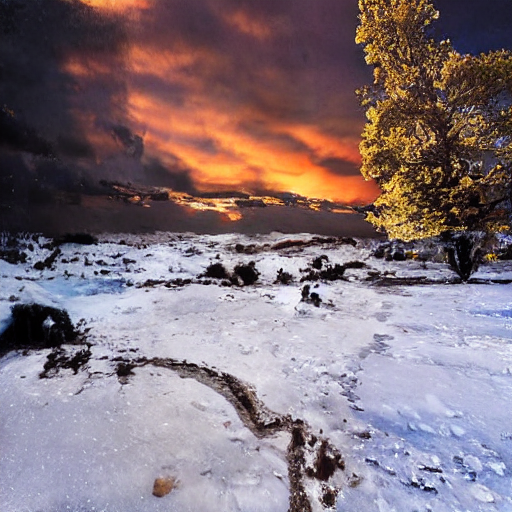
|[TencentARC/t2iadapter_color_sd14v1](https://huggingface.co/TencentARC/t2iadapter_color_sd14v1)
*Trained with spatial color palette* | A image with 8x8 color palette.|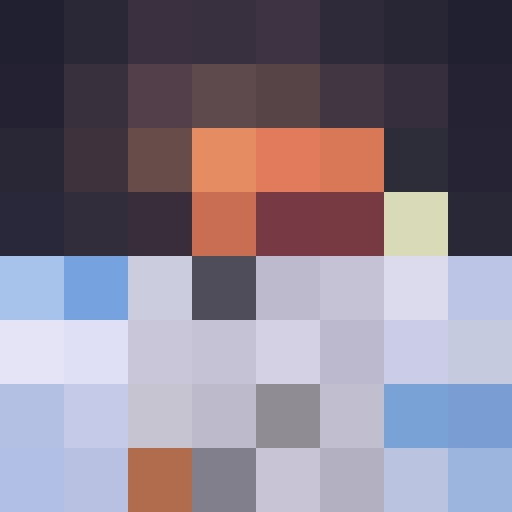 |
| |
|[TencentARC/t2iadapter_canny_sd14v1](https://huggingface.co/TencentARC/t2iadapter_canny_sd14v1)
|
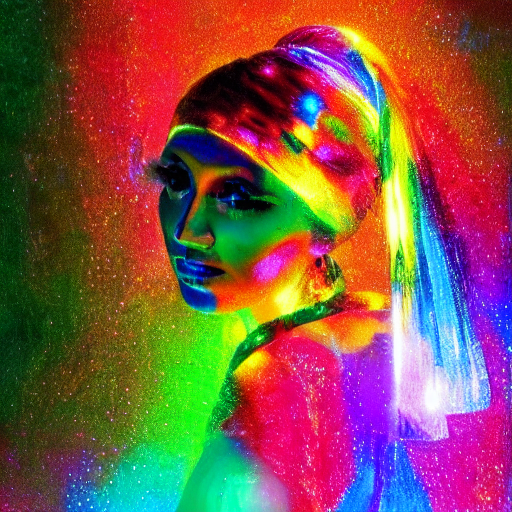
|[TencentARC/t2iadapter_canny_sd14v1](https://huggingface.co/TencentARC/t2iadapter_canny_sd14v1)
*Trained with canny edge detection* | A monochrome image with white edges on a black background.|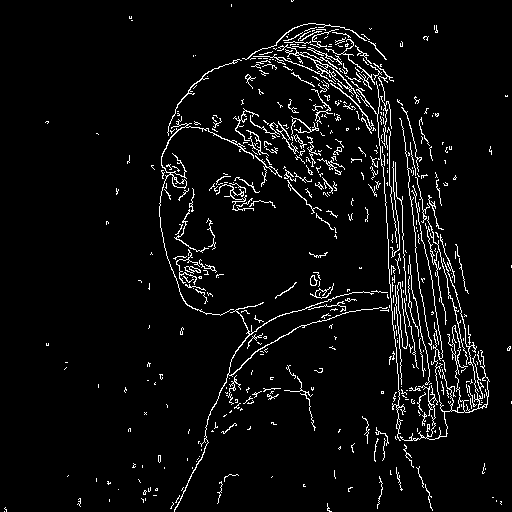 |
| |
|[TencentARC/t2iadapter_sketch_sd14v1](https://huggingface.co/TencentARC/t2iadapter_sketch_sd14v1)
|
|[TencentARC/t2iadapter_sketch_sd14v1](https://huggingface.co/TencentARC/t2iadapter_sketch_sd14v1)
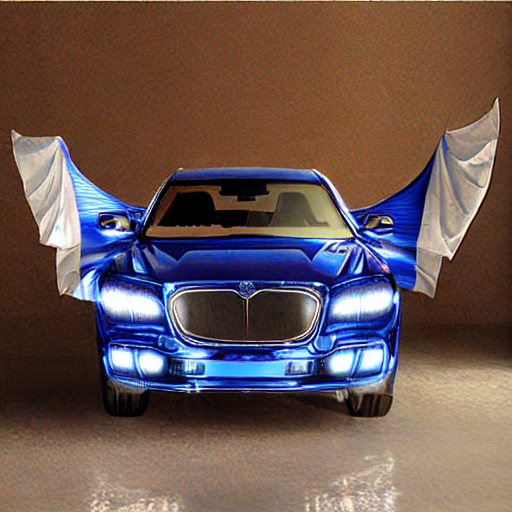
*Trained with [PidiNet](https://github.com/zhuoinoulu/pidinet) edge detection* | A hand-drawn monochrome image with white outlines on a black background.|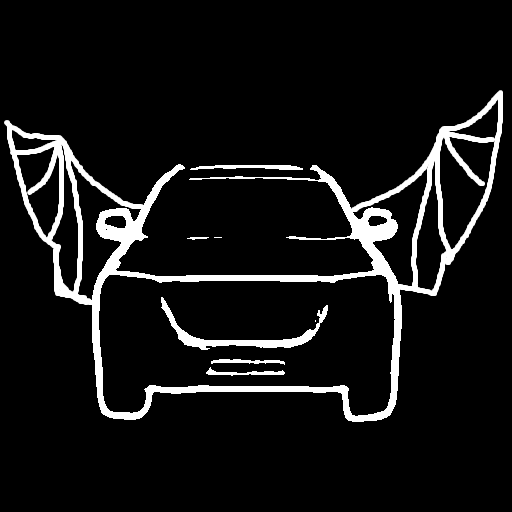 |
| |
|[TencentARC/t2iadapter_depth_sd14v1](https://huggingface.co/TencentARC/t2iadapter_depth_sd14v1)
|
|[TencentARC/t2iadapter_depth_sd14v1](https://huggingface.co/TencentARC/t2iadapter_depth_sd14v1)
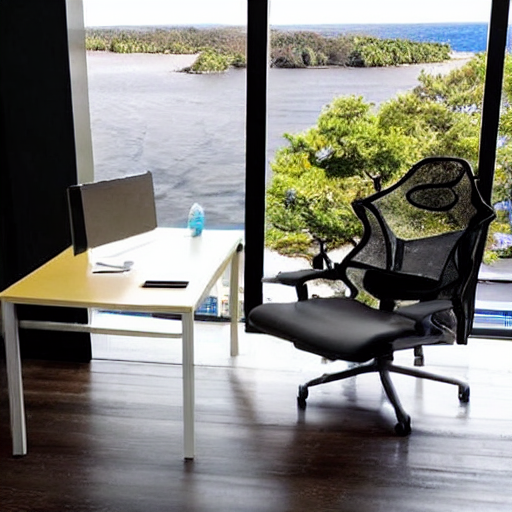
*Trained with Midas depth estimation* | A grayscale image with black representing deep areas and white representing shallow areas.|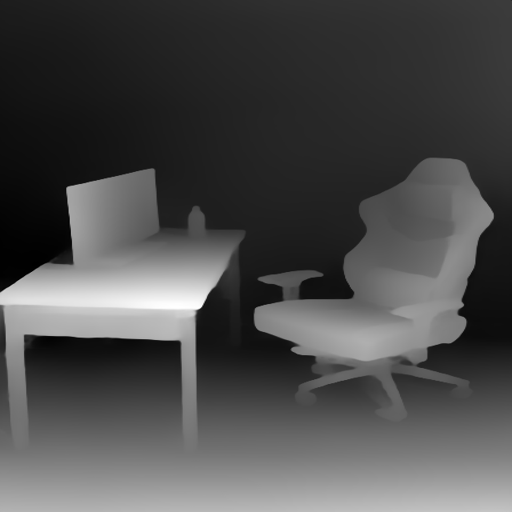 |
| |
|[TencentARC/t2iadapter_openpose_sd14v1](https://huggingface.co/TencentARC/t2iadapter_openpose_sd14v1)
|
|[TencentARC/t2iadapter_openpose_sd14v1](https://huggingface.co/TencentARC/t2iadapter_openpose_sd14v1)
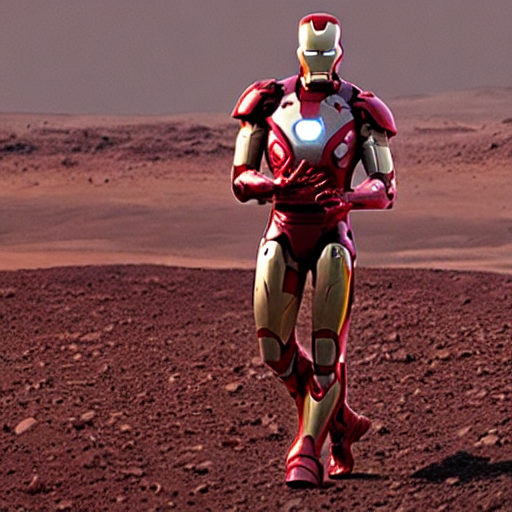
*Trained with OpenPose bone image* | A [OpenPose bone](https://github.com/CMU-Perceptual-Computing-Lab/openpose) image.|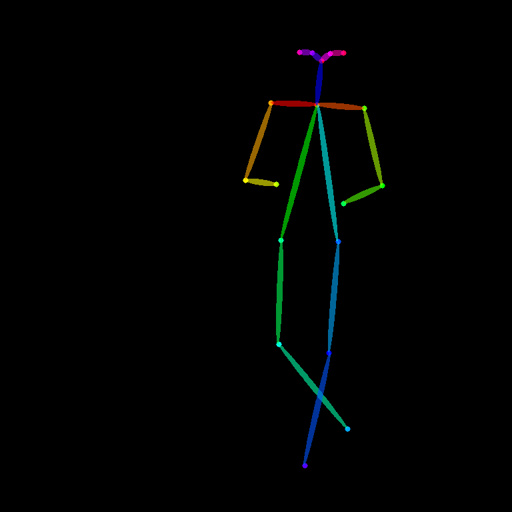 |
| |
|[TencentARC/t2iadapter_keypose_sd14v1](https://huggingface.co/TencentARC/t2iadapter_keypose_sd14v1)
|
|[TencentARC/t2iadapter_keypose_sd14v1](https://huggingface.co/TencentARC/t2iadapter_keypose_sd14v1)
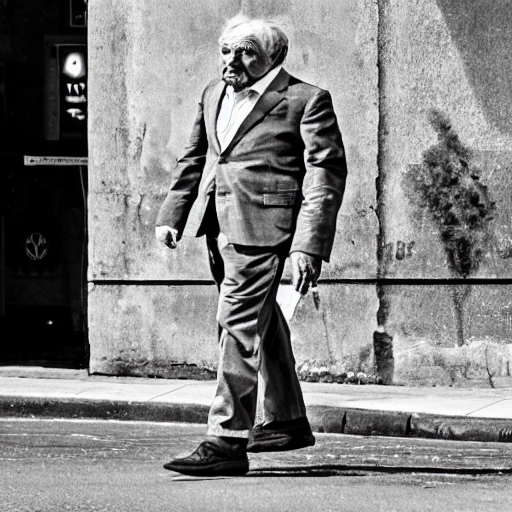
*Trained with mmpose skeleton image* | A [mmpose skeleton](https://github.com/open-mmlab/mmpose) image.|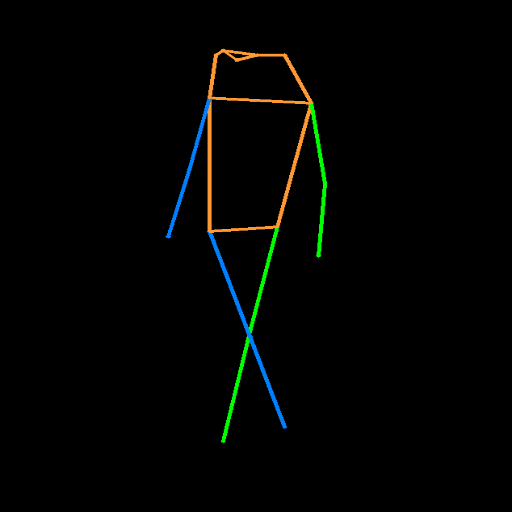 |
| |
|[TencentARC/t2iadapter_seg_sd14v1](https://huggingface.co/TencentARC/t2iadapter_seg_sd14v1)
|
|[TencentARC/t2iadapter_seg_sd14v1](https://huggingface.co/TencentARC/t2iadapter_seg_sd14v1)
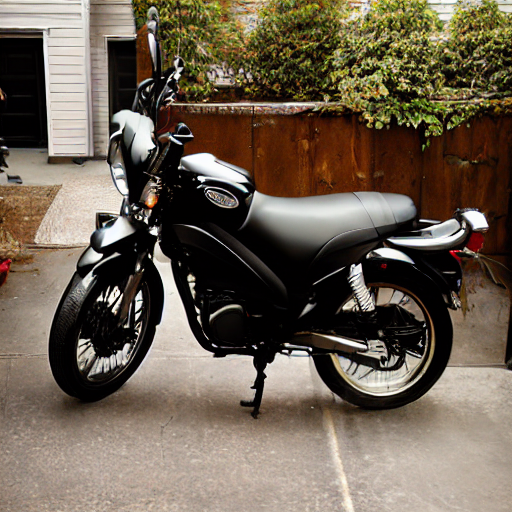
*Trained with semantic segmentation* | An [custom](https://github.com/TencentARC/T2I-Adapter/discussions/25) segmentation protocol image.|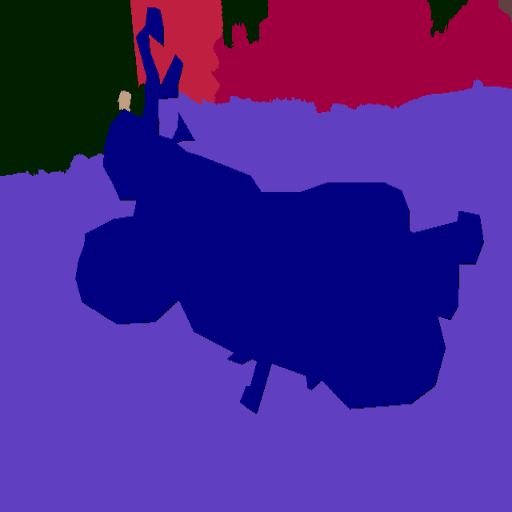 |
| |
|[TencentARC/t2iadapter_canny_sd15v2](https://huggingface.co/TencentARC/t2iadapter_canny_sd15v2)||
|[TencentARC/t2iadapter_depth_sd15v2](https://huggingface.co/TencentARC/t2iadapter_depth_sd15v2)||
|[TencentARC/t2iadapter_sketch_sd15v2](https://huggingface.co/TencentARC/t2iadapter_sketch_sd15v2)||
|[TencentARC/t2iadapter_zoedepth_sd15v1](https://huggingface.co/TencentARC/t2iadapter_zoedepth_sd15v1)||
## Example
1. Dependencies
```sh
pip install diffusers transformers matplotlib
```
2. Run code:
```python
from PIL import Image
import torch
import numpy as np
import matplotlib
from diffusers import T2IAdapter, StableDiffusionAdapterPipeline
def colorize(value, vmin=None, vmax=None, cmap='gray_r', invalid_val=-99, invalid_mask=None, background_color=(128, 128, 128, 255), gamma_corrected=False, value_transform=None):
"""Converts a depth map to a color image.
Args:
value (torch.Tensor, numpy.ndarry): Input depth map. Shape: (H, W) or (1, H, W) or (1, 1, H, W). All singular dimensions are squeezed
vmin (float, optional): vmin-valued entries are mapped to start color of cmap. If None, value.min() is used. Defaults to None.
vmax (float, optional): vmax-valued entries are mapped to end color of cmap. If None, value.max() is used. Defaults to None.
cmap (str, optional): matplotlib colormap to use. Defaults to 'magma_r'.
invalid_val (int, optional): Specifies value of invalid pixels that should be colored as 'background_color'. Defaults to -99.
invalid_mask (numpy.ndarray, optional): Boolean mask for invalid regions. Defaults to None.
background_color (tuple[int], optional): 4-tuple RGB color to give to invalid pixels. Defaults to (128, 128, 128, 255).
gamma_corrected (bool, optional): Apply gamma correction to colored image. Defaults to False.
value_transform (Callable, optional): Apply transform function to valid pixels before coloring. Defaults to None.
Returns:
numpy.ndarray, dtype - uint8: Colored depth map. Shape: (H, W, 4)
"""
if isinstance(value, torch.Tensor):
value = value.detach().cpu().numpy()
value = value.squeeze()
if invalid_mask is None:
invalid_mask = value == invalid_val
mask = np.logical_not(invalid_mask)
# normalize
vmin = np.percentile(value[mask],2) if vmin is None else vmin
vmax = np.percentile(value[mask],85) if vmax is None else vmax
if vmin != vmax:
value = (value - vmin) / (vmax - vmin) # vmin..vmax
else:
# Avoid 0-division
value = value * 0.
# squeeze last dim if it exists
# grey out the invalid values
value[invalid_mask] = np.nan
cmapper = matplotlib.cm.get_cmap(cmap)
if value_transform:
value = value_transform(value)
# value = value / value.max()
value = cmapper(value, bytes=True) # (nxmx4)
img = value[...]
img[invalid_mask] = background_color
if gamma_corrected:
img = img / 255
img = np.power(img, 2.2)
img = img * 255
img = img.astype(np.uint8)
return img
model = torch.hub.load("isl-org/ZoeDepth", "ZoeD_N", pretrained=True)
img = Image.open('./images/zoedepth_in.png')
out = model.infer_pil(img)
zoedepth_image = Image.fromarray(colorize(out)).convert('RGB')
zoedepth_image.save('images/zoedepth.png')
adapter = T2IAdapter.from_pretrained("TencentARC/t2iadapter_zoedepth_sd15v1", torch_dtype=torch.float16)
pipe = StableDiffusionAdapterPipeline.from_pretrained(
"runwayml/stable-diffusion-v1-5", adapter=adapter, safety_checker=None, torch_dtype=torch.float16, variant="fp16"
)
pipe.to('cuda')
zoedepth_image_out = pipe(prompt="motorcycle", image=zoedepth_image).images[0]
zoedepth_image_out.save('images/zoedepth_out.png')
```


|
|[TencentARC/t2iadapter_canny_sd15v2](https://huggingface.co/TencentARC/t2iadapter_canny_sd15v2)||
|[TencentARC/t2iadapter_depth_sd15v2](https://huggingface.co/TencentARC/t2iadapter_depth_sd15v2)||
|[TencentARC/t2iadapter_sketch_sd15v2](https://huggingface.co/TencentARC/t2iadapter_sketch_sd15v2)||
|[TencentARC/t2iadapter_zoedepth_sd15v1](https://huggingface.co/TencentARC/t2iadapter_zoedepth_sd15v1)||
## Example
1. Dependencies
```sh
pip install diffusers transformers matplotlib
```
2. Run code:
```python
from PIL import Image
import torch
import numpy as np
import matplotlib
from diffusers import T2IAdapter, StableDiffusionAdapterPipeline
def colorize(value, vmin=None, vmax=None, cmap='gray_r', invalid_val=-99, invalid_mask=None, background_color=(128, 128, 128, 255), gamma_corrected=False, value_transform=None):
"""Converts a depth map to a color image.
Args:
value (torch.Tensor, numpy.ndarry): Input depth map. Shape: (H, W) or (1, H, W) or (1, 1, H, W). All singular dimensions are squeezed
vmin (float, optional): vmin-valued entries are mapped to start color of cmap. If None, value.min() is used. Defaults to None.
vmax (float, optional): vmax-valued entries are mapped to end color of cmap. If None, value.max() is used. Defaults to None.
cmap (str, optional): matplotlib colormap to use. Defaults to 'magma_r'.
invalid_val (int, optional): Specifies value of invalid pixels that should be colored as 'background_color'. Defaults to -99.
invalid_mask (numpy.ndarray, optional): Boolean mask for invalid regions. Defaults to None.
background_color (tuple[int], optional): 4-tuple RGB color to give to invalid pixels. Defaults to (128, 128, 128, 255).
gamma_corrected (bool, optional): Apply gamma correction to colored image. Defaults to False.
value_transform (Callable, optional): Apply transform function to valid pixels before coloring. Defaults to None.
Returns:
numpy.ndarray, dtype - uint8: Colored depth map. Shape: (H, W, 4)
"""
if isinstance(value, torch.Tensor):
value = value.detach().cpu().numpy()
value = value.squeeze()
if invalid_mask is None:
invalid_mask = value == invalid_val
mask = np.logical_not(invalid_mask)
# normalize
vmin = np.percentile(value[mask],2) if vmin is None else vmin
vmax = np.percentile(value[mask],85) if vmax is None else vmax
if vmin != vmax:
value = (value - vmin) / (vmax - vmin) # vmin..vmax
else:
# Avoid 0-division
value = value * 0.
# squeeze last dim if it exists
# grey out the invalid values
value[invalid_mask] = np.nan
cmapper = matplotlib.cm.get_cmap(cmap)
if value_transform:
value = value_transform(value)
# value = value / value.max()
value = cmapper(value, bytes=True) # (nxmx4)
img = value[...]
img[invalid_mask] = background_color
if gamma_corrected:
img = img / 255
img = np.power(img, 2.2)
img = img * 255
img = img.astype(np.uint8)
return img
model = torch.hub.load("isl-org/ZoeDepth", "ZoeD_N", pretrained=True)
img = Image.open('./images/zoedepth_in.png')
out = model.infer_pil(img)
zoedepth_image = Image.fromarray(colorize(out)).convert('RGB')
zoedepth_image.save('images/zoedepth.png')
adapter = T2IAdapter.from_pretrained("TencentARC/t2iadapter_zoedepth_sd15v1", torch_dtype=torch.float16)
pipe = StableDiffusionAdapterPipeline.from_pretrained(
"runwayml/stable-diffusion-v1-5", adapter=adapter, safety_checker=None, torch_dtype=torch.float16, variant="fp16"
)
pipe.to('cuda')
zoedepth_image_out = pipe(prompt="motorcycle", image=zoedepth_image).images[0]
zoedepth_image_out.save('images/zoedepth_out.png')
```


